
Colltrain on iPad
Caution: Despite your recommendation, some participants could join your training from an iPad for various reasons.
Current situation
Section titled “Current situation”As Colltrain’s intended use is with a desktop-grade browser you will notice the following:
- Colltrain will start on an iPad with or without a mouse.
- You will be able to join an activity (see the picture below)
- You can view what is happening on the board /flipchart. (see the picture below)
- Many actions work as expected. Using a mouse improves the experience.
- Other key actions like moving objects in any direction don’t work.
Let’s hope that the new versions of Safari on iPad will notice improvements that will enable a full user experience.
Recommendation
Section titled “Recommendation”Our recommendation for this use case:
Use Colltrain as a read-only device.
For a complete experience use a laptop or desktop.
The last test was performed on an iPad Pro 2, ios version: 15.6.1

Access Colltrain on an iPad pro 2
Joining an activity from iPad Pro
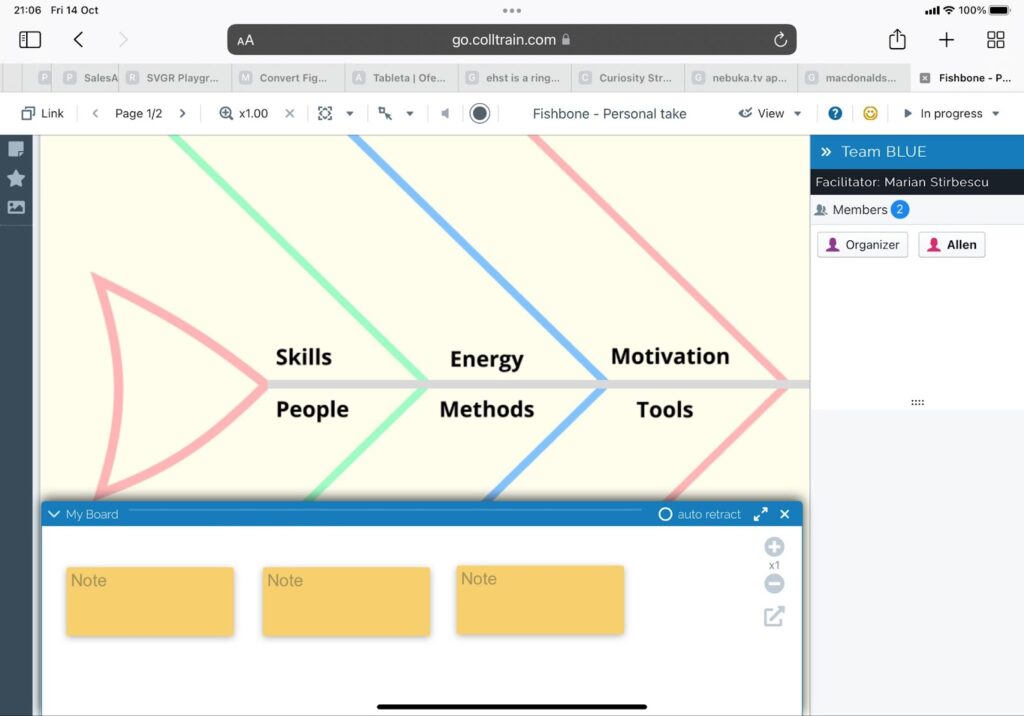
View an activity on iPad Pro 2
Inside an activity in Safari on an iPad (mostly read-only)